Why Your Wi-Fi Is Slow (Even If You Pay for Fast Internet)
Slow Wi-Fi even with fast internet? Discover common causes and test your speed now. CallTechCare offers Wi-Fi optimization in Miami & Broward.

Why Your Wi-Fi Is Slow (Even If You Pay for Fast Internet)
You’re paying for fast internet… but your TV keeps buffering.
Sound familiar?
Many homeowners in Miami and Broward experience slow Wi-Fi even when they’re subscribed to high-speed plans. The problem usually isn’t your provider — it’s your setup.
Before upgrading your plan again, start by running a free speed test directly on our website:
👉 Test your internet speed here
If your speeds drop significantly in certain rooms, you likely have a Wi-Fi coverage issue.
Internet Speed vs. Wi-Fi Signal
Your internet provider delivers speed to your modem.
Your router delivers Wi-Fi to your devices.
If the router placement is poor, outdated, or overloaded, performance suffers — even with a fast internet package.
If your connection keeps dropping, you may need professional Wi-Fi troubleshooting to identify the root cause.
Common Reasons Your Wi-Fi Is Slow
1️⃣ Poor Router Placement
If your router is:
- Inside a closet
- Behind a TV
- On the floor
- In a corner of the house
You’re losing signal strength.
In many homes, relocating the router solves the issue. Our Router / Modem Relocation or Upgrade service improves coverage instantly in most cases.
2️⃣ Dead Zones in Bedrooms or Offices
If Wi-Fi works near the router but not in:
- Back bedrooms
- Garage
- Patio
- Upstairs office
You may need a Whole-Home Wi-Fi Assessment to identify weak areas and interference sources.
For larger homes, installing a mesh system through our New Wi-Fi (Mesh Installation) service provides seamless coverage everywhere.
3️⃣ Router Settings Not Optimized
Many routers are never configured properly.
Channel congestion, interference, and outdated firmware can cause:
- Random disconnections
- Lag spikes
- Zoom freezes
- Smart TV buffering
Our Wi-Fi Speed Boost service optimizes router settings for maximum performance — often without replacing equipment.
4️⃣ Too Many Connected Devices
Modern homes often have:
- Multiple phones
- Smart TVs
- Cameras
- Doorbells
- Tablets
- Gaming consoles
If your network struggles during busy hours, a professional Wi-Fi Optimization service can rebalance and stabilize your system.
When to Call a Professional
You should consider expert help if:
✔ Your speed test looks fine near the router but slow elsewhere
✔ Wi-Fi drops during video calls
✔ Cameras disconnect randomly
✔ You’ve upgraded your internet plan but nothing improved
Instead of guessing, let us properly diagnose the issue.
How CallTechCare Fixes Slow Wi-Fi
At CallTechCare, we provide:
• Wi-Fi Troubleshooting
• Wi-Fi Speed Boost Optimization
• Router Relocation or Upgrade
• Whole-Home Wi-Fi Assessment
• Mesh Wi-Fi Installation
• Professional Internet Setup
We serve:
Miami
Homestead
Pembroke Pines
Fort Lauderdale
Broward County
Our goal is simple:
Eliminate dead zones. Stabilize your network. Maximize your speed.
Final Step
Before blaming your internet provider, test your connection first:
👉 Run your free speed test now
If something looks off, we’ll fix it properly the first time.
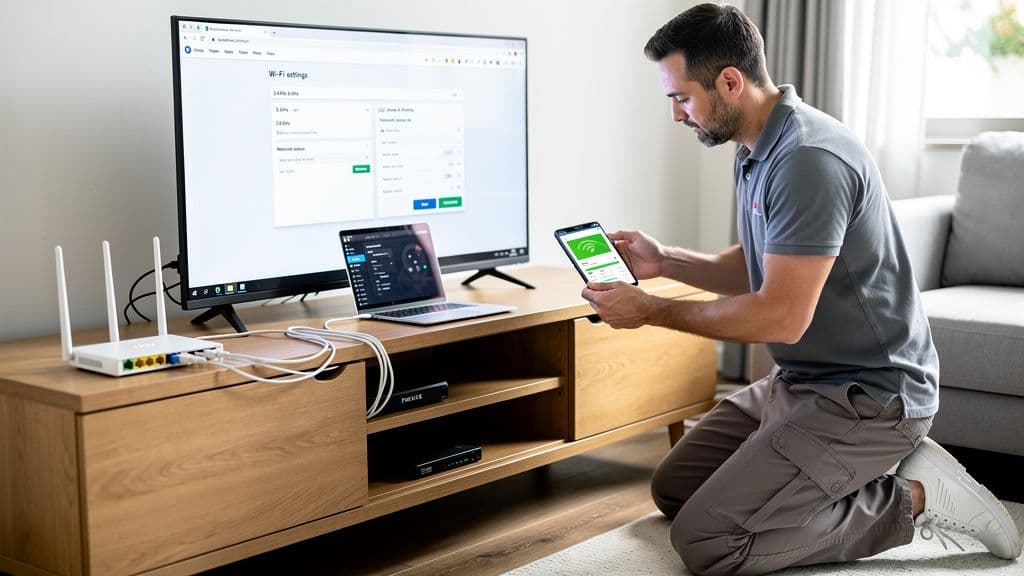
Why Your Wi-Fi Keeps Dropping and How to Fix It
Wi-Fi dropping frequently can interrupt work, streaming, and smart home…
Securing Your Home and Business With a VPN in 2026
Learn why using a VPN in 2026 is essential for protecting home and small…
How to Secure Your Home Wi‑Fi Network in 2026
Learn how to secure your home or small-business WiFi network in 2026 with…

Why Reliable IT Support at Home Matters More Than Ever
Reliable IT support keeps your home technology running smoothly. Learn why…
Cybersecurity Survival Guide for Small Businesses in 2025
Learn how small businesses can protect systems, data, and customers in 2025…
Strong Credentials for Seniors and Small Businesses
Learn how seniors and small businesses can create strong passwords, manage…

Recognizing Phishing Scams: A Guide for Seniors & Caregivers
Learn how seniors and caregivers can recognize phishing scams, avoid online…
Should You Upgrade to Wi-Fi 6E or Stay on Wi-Fi 6?
Wi-Fi 6E promises faster speeds and less interference, but is it worth…