Wi-Fi Access Point / Extender in Miami, Broward & South Florida
In-HomeProfessional installation and configuration of a Wi-Fi access point or extender to expand coverage, eliminate weak areas, and improve your home or business network performance.
What's Included
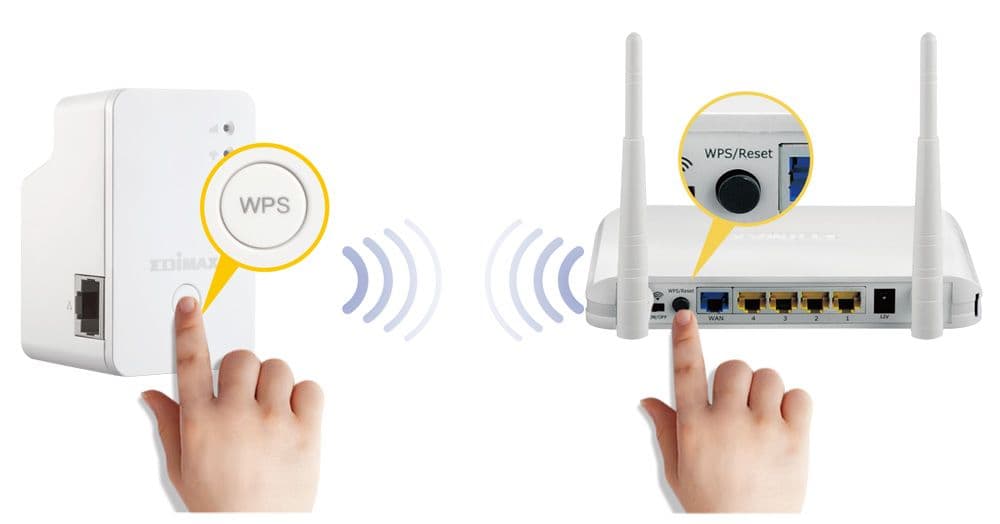
- Install and configure a Wi-Fi access point or extender
- Choose optimal placement for best coverage
- Set up wired or wireless backhaul if supported
- Integrate the AP/extender into your existing network
- Match or extend your current Wi-Fi name and password
- Reconnect TVs, phones, laptops, and key devices
- Test coverage to confirm improved signal strength
- Provide recommendations for additional improvements if needed
Frequently Asked Questions
What’s not included in this installation+
Cable running inside walls, wired backhaul activation, long-distance relocation, attic/crawl-space work, and installation of extra mesh nodes are not included unless selected as add-ons.
Which access points or extenders do you install?+
We install all brands including UniFi, TP-Link, Eero, Deco, Orbi, Google Nest, Netgear, and more.
Will this fix weak signal in certain rooms?+
Yes — adding an access point or extender is one of the best ways to improve coverage where Wi-Fi is weak.
o you run cables for access point installation?+
Short Ethernet runs are possible during the visit. Longer runs may require an additional appointment or add-on.
How do you price cables that need to be installed inside walls?+
Cable runs are priced based on estimated distance (in feet). You select the range during booking, and the technician confirms the exact distance on-site. Our standard pricing: Up to 25 ft: +$25 25–50 ft: +$45 50–100 ft: +$75 100+ ft: Custom on-site quote Cable running is only needed if your router, mesh nodes, or access points require Ethernet or are being installed in new locations.
Do I need in-wall cables for a mesh or router installation?+
Most installations use your existing cables unless you want: Wired backhaul Moving your router to a different room Installing a ceiling/wall access point Adding Ethernet for a smart TV, PC, or security system If you're unsure, select “Not sure — technician will advise” in your notes, and we'll guide you on-site.
Customer Reviews
Real experiences from satisfied homeowners and businesses.