
Security Cameras Wireless Connectivity Services and Installation for Home & Business
Learn why professional wireless camera installation improves placement, Wi-Fi reliability, and security performance for homes and small businesses.
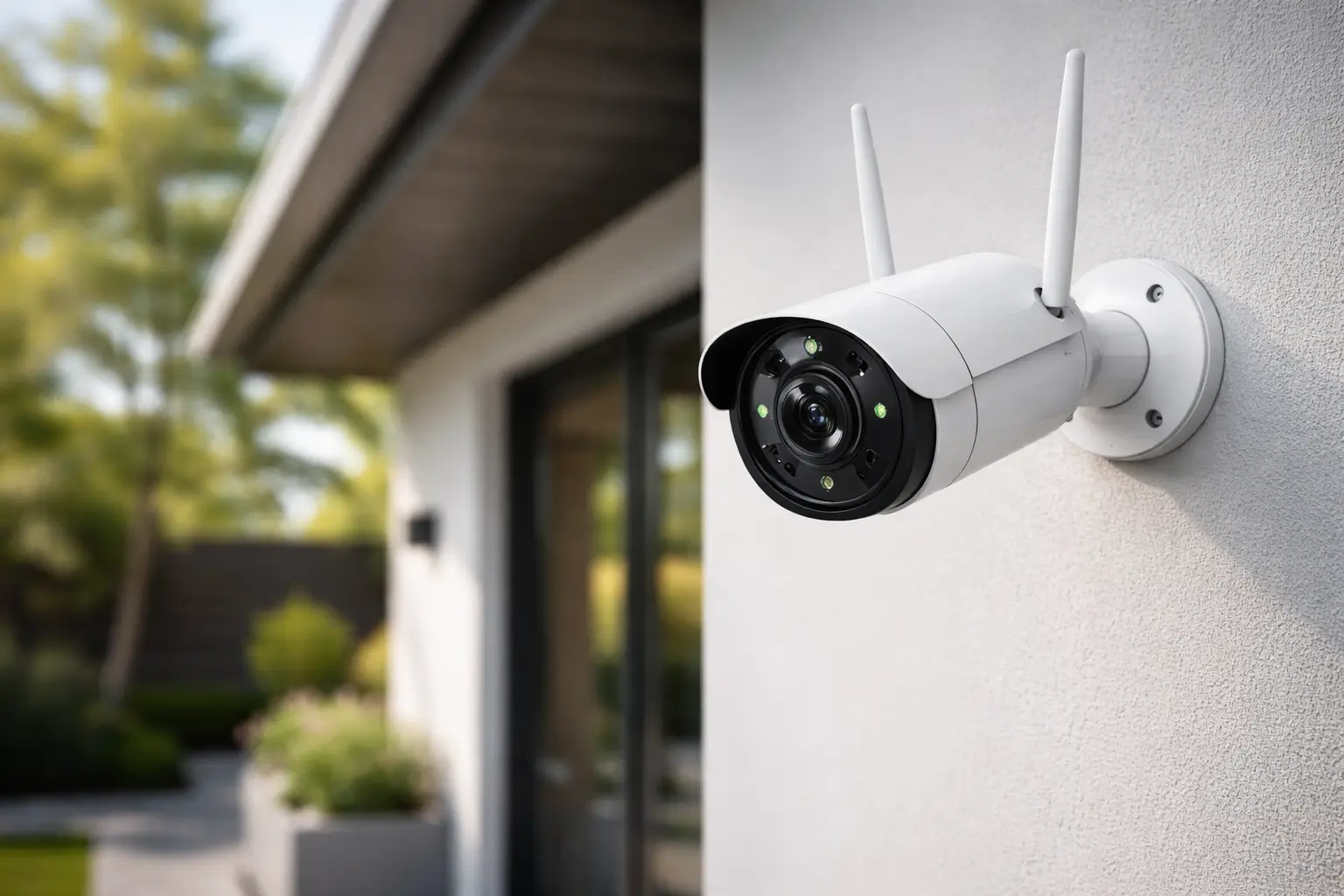
Wireless security cameras are one of the most effective ways to protect homes and small businesses. They provide real-time monitoring, instant alerts, and remote access from anywhere. When installed correctly, they offer peace of mind and reliable protection.
However, the effectiveness of any camera system depends heavily on proper placement, network stability, and configuration. Many camera problems are not caused by faulty equipment. They’re caused by weak Wi-Fi signals, incorrect settings, or poor mounting angles.
Improper placement can create blind spots or capture unusable footage. Cameras installed too high may miss facial details, while cameras placed too low can be tampered with. Lighting conditions, glare, and field of view all impact how well footage can be used when it matters most.
Network reliability is just as important. Wireless cameras rely on stable internet to stream video, send alerts, and store recordings. If your connection drops frequently or struggles under load, your security system may not perform consistently. Strengthening your Wi-Fi connection can dramatically improve camera reliability and prevent delayed notifications or missing footage.
Configuration is another area where many users struggle. Motion detection sensitivity, activity zones, alert preferences, and recording settings must be adjusted carefully. Without proper setup, you may receive constant false alerts — or worse, miss important events entirely.
Professional installation ensures your system works as a complete solution. Cameras are mounted securely and connected to a stable network. We test them for day and night performance, and sync them correctly to your mobile devices.
Wireless camera systems are ideal for both residential and commercial properties. Homeowners gain visibility over entrances and outdoor areas. Businesses can monitor deliveries, customer areas, and after-hours activity without complicated infrastructure.
A properly installed system provides confidence — not confusion.
How CallTechCare Helps with Wireless Camera Installation
This is where CallTechCare makes the process simple and stress-free. We provide professional wireless camera installation services designed for reliability, clean setup, and long-term performance.
Our services include:
Secure mounting and optimal placement
Wi-Fi signal testing and connection setup
Motion detection and notification configuration
Mobile app syncing and user guidance
Live view, playback, and night vision testing
We also evaluate your network to ensure your cameras integrate smoothly with your existing system.
Instead of guessing or troubleshooting unreliable alerts, you get a professionally installed security setup that works consistently from day one.
With the right installation and configuration, wireless cameras become dependable tools for safety and monitoring. They do not become another source of frustration.
We proudly support homeowners and small businesses across Miami and South Florida.
Battery Life, Storage, and Video Footage: What to Know
Most wireless cameras run on rechargeable batteries or a plug-in power adapter. Battery life depends on the camera and how often it records. Motion alerts all day drain a camera battery fast. A camera that records only a few events lasts much longer. Cold snaps and heat also affect batteries. We check battery health during the visit and place cameras to cut down on false alerts, so batteries last longer.
Video footage is stored in the cloud or on local storage, depending on the brand. Some cameras save clips to a memory card or a base station in your home. Others upload clips to the cloud. Either way, you need to know where your footage lives and how to find a clip when you need it. We show you how to open playback in the app and find a recording by time. We also show you how to save or share a clip.
If your internet goes down, some cameras keep recording to local storage and upload the footage later. Others stop recording until the connection comes back. It depends on the brand and the model. We test your setup and explain how your cameras store video footage. You will know what is saved and where it is saved.
Who Can See Your Cameras: Access Control
A wireless camera system is also about access control. The cameras belong to you, and you decide who can watch them. Most camera apps let you share access with family members or staff, and remove that access at any time. We set up the app on your phone. We show you how to add or remove users, and test that alerts go to the right phone. Your footage stays private unless you choose to share it.
If you run a small business, access control matters even more. You can give a manager access to the cameras and keep the admin account for yourself. When an employee leaves, you can remove their access in seconds. We show you how during the visit.
What We Check on Every Camera Visit
Every visit follows the same checks. We test the Wi-Fi signal at each camera spot before we mount anything. We check the mounting height and angle so faces and license plates stay visible. We set motion zones so the camera ignores the street and the neighbor's yard. We test live view, playback, alerts, and night vision. And we show you the app, so you can check your cameras from anywhere.
Cameras share your home Wi-Fi network. A camera mounted far from the router can send delayed alerts or miss footage. That is why we test the signal at each spot. We tell you honestly if a spot will not work well. A good security solution is not about the number of cameras. It is about the right cameras in the right spots, on a network that can handle them.
Video Doorbells and Outdoor Cameras for Your Home
A video doorbell is part of a home camera system. It shows who is at your door, even when you are not home. You can see and talk to a visitor from your phone. It records motion at the front door, day and night. Many homeowners in Miami add a video doorbell first. Then they add outdoor cameras around the house.
Outdoor cameras cover the parts of your home that a doorbell cannot see. They watch the driveway, the backyard, the side gate, and the pool area. We mount them high enough to avoid tampering. We angle them to capture faces and license plates. A camera that points at the sky or a wall is useless. That is why we test the view on your phone before we finish.
A home camera system works best when every camera is part of one system. The doorbell, the outdoor cameras, and any indoor cameras share the same app. You get one set of alerts. You get one place to watch live video. And you get one place to find recordings. We set up the app with you. We show you how to watch live video, find a clip, and share access with family.
Outdoor cameras need to handle Miami weather. Heat, humidity, and heavy rain can damage a camera that is not built for outdoors. We use cameras rated for outdoor use. We mount them under eaves or covers when possible. We also check the Wi-Fi signal at each outdoor spot. A camera on the far side of the house may need a stronger signal to send video without delays.
Battery-Powered and Solar-Powered Cameras: Power Options for Your Security Camera System
Battery-powered cameras are a good choice when there is no power outlet nearby. They run on rechargeable batteries. That means they can go on a side gate, a shed, or a detached garage. They fit any spot where running a cable is not practical. We mount them where the Wi-Fi signal is strong. We show you how to check the battery in the app, so you always know when it needs a charge.
Solar-powered cameras add a small solar panel that charges the battery during the day. In sunny South Florida, a solar panel helps keep the battery topped up. You do not have to take the camera down to charge it as often. We place the panel where it gets direct sun and angle it for the best charge. We test the camera before we leave.
Power is only part of the picture. Video quality depends on placement and connection too. A camera too high, too far from the router, or pointed into glare will not give you clear video. Not even if the camera itself is good. That is why we check the live view from your phone at each camera spot during the visit. You can see the video quality for yourself before we finish.
Together, battery-powered cameras, solar-powered cameras, and wired cameras can form one security camera system for your home or business. Every camera shares the same app. You can see the front door, the driveway, and the backyard from your phone in one place. We start with a free inspection. We plan the right mix of cameras and power options for your property, and we install everything.
Camera Placement: Coverage, Angles, and Night Vision
A camera only protects what it can actually see, so placement matters as much as the camera itself. Start with the entry points: the front door, the back door, and any side door or gate. A camera there should capture faces and movement approaching the door, not just the door itself.
At the front door, a video doorbell and a wider outdoor camera work well together. The doorbell shows who is standing at the door. It lets you speak with visitors even when you are not home. The outdoor camera covers the walkway and the driveway, so you see someone coming before they reach the door.
The backyard and patio need the same attention. Place a camera where it can see the patio, the back door, and the yard, with a clear view. The garage is another key spot, since a camera over the garage door watches the driveway. Look for blind spots, such as the side gate, the corner behind the fence, or a narrow passage between buildings. One more camera there makes the biggest difference.
Coverage is about angles, not just the number of cameras. Mount cameras high enough that they cannot be reached easily. Keep them low enough to capture faces, usually around eight to ten feet off the ground. Angle each camera slightly downward, and overlap the fields of view so there is no gap between two cameras. Avoid pointing a camera into the sun or at a bright window, because glare can wash out the image.
Night vision decides whether your cameras are useful after dark. Most wireless cameras switch to infrared at night. Its range is limited, so a camera pointed at a dark corner will still show very little. Keep the lens clean, and a nearby porch light can help the camera see more. We test night vision during the installation, so you know what each camera shows at night.
Your cameras should also be easy to check from your phone. From the app you can watch the live view and review recorded clips. You receive alerts when motion is detected. So you can check on your home at work, or on your business after closing time. During the installation we connect the cameras to your phone and show you how to use the app.
Cameras as Part of Your Smart Home
A wireless camera system can be the start of a smart home setup. Your home security cameras, your video doorbell and your phone app work as one system. You see who is at the door. You check the driveway and the backyard. You get one set of alerts, in one place.
An outdoor security camera over the driveway covers one spot visitors reach first. A video doorbell at the front door covers the other. Camera access stays in your hands. You share it with family from the app. You remove it just as fast. We set up the whole system during the visit, and we test it with you before we leave.
Get Your Cameras Installed Right
Want your cameras installed the right way the first time?
CallTechCare provides professional wireless camera installation designed for reliability and peace of mind.
👉 Schedule Wireless Camera Installation today.
Cellular Cameras: Security Where There Is No WiFi
Most wireless cameras use your home WiFi. A cellular security camera is different. It connects through a cellular signal instead of WiFi. That makes it an option for a spot far from the router. Think of a detached garage, a gate, or a shed. It keeps recording where WiFi cannot reach.
A cellular camera needs its own data plan. The video clips use that data, so the plan matters. For most homes and small businesses, WiFi cameras are the simpler setup. They share the WiFi you already have. Today's wireless cameras offer live view from your phone, motion alerts, and night vision. We test the signal at each camera spot before we mount anything. That tells us which option fits the location.
Frequently Asked Questions
Do wireless cameras work without Wi-Fi?
Most wireless cameras require Wi-Fi for live streaming and alerts. A stable internet connection ensures reliable performance.
Where should security cameras be placed?
Entry points, driveways, walkways, and high-traffic areas are ideal. Proper height and angle are essential for usable footage.
Can CallTechCare improve weak camera signals?
Yes. We assess Wi-Fi strength, optimize placement, and configure your network for consistent performance.
Security Camera Installation Near Me in Miami: Protect Your Home Today
Looking for security camera installation near you in Miami? Learn how home…
How to Choose and Install the Right Video Doorbell for Your Home or Small Business
Learn how to choose the right video doorbell for your home or business, compare…
Need Expert Help?
Our team is ready to help with sprinkler, irrigation, and security camera services
Get in Touch